
Note:This OTTPLAY journey is currently available only for SonyLIV. For Amazon Prime, the journey continues directly through Dealzy.
We have made changes in OTT code share process to improve customer experience and repeat contacts.
Step 1: How the Customer Gets the OTT Code Automatically
After the customer buys an eligible plan, the OTT voucher code is automatically sent by the backend system via:
Email
SMS
These messages will include:
The voucher code
Instructions on how to redeem the code
Step 2: If Customer Didn't Receive the Code
If a customer says they haven’t received the code, here’s what the agent must do:
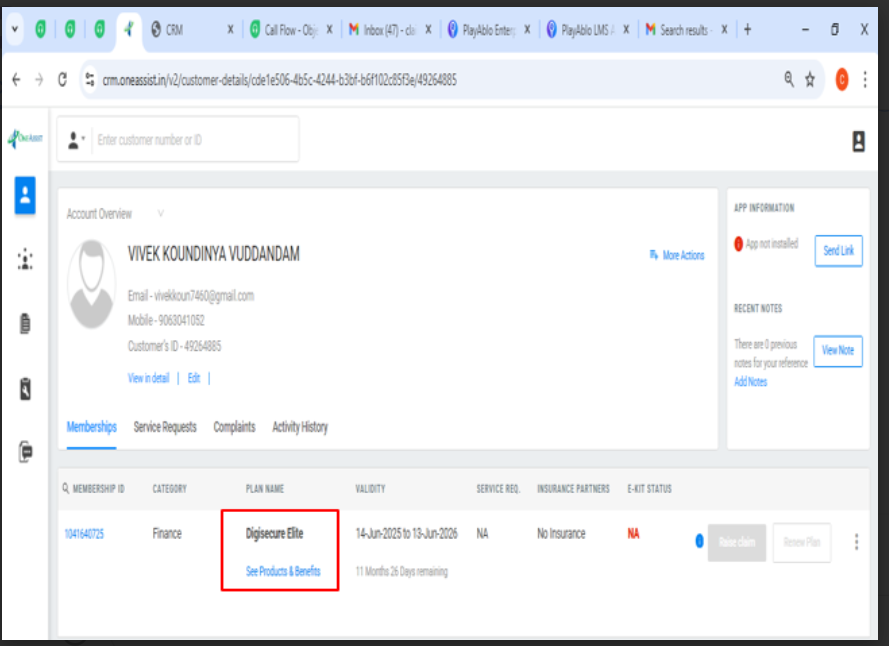
Open the customer’s details in the CRM.
Go to the Plan Benefits section.
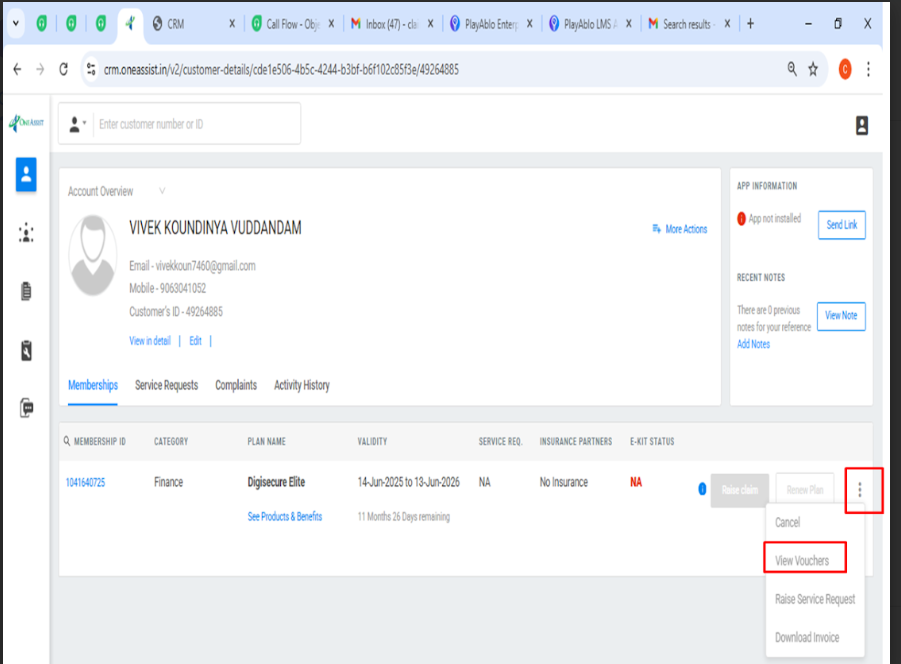
Click on the three dots (⋮) beside the plan.
Select “View Voucher Code.”
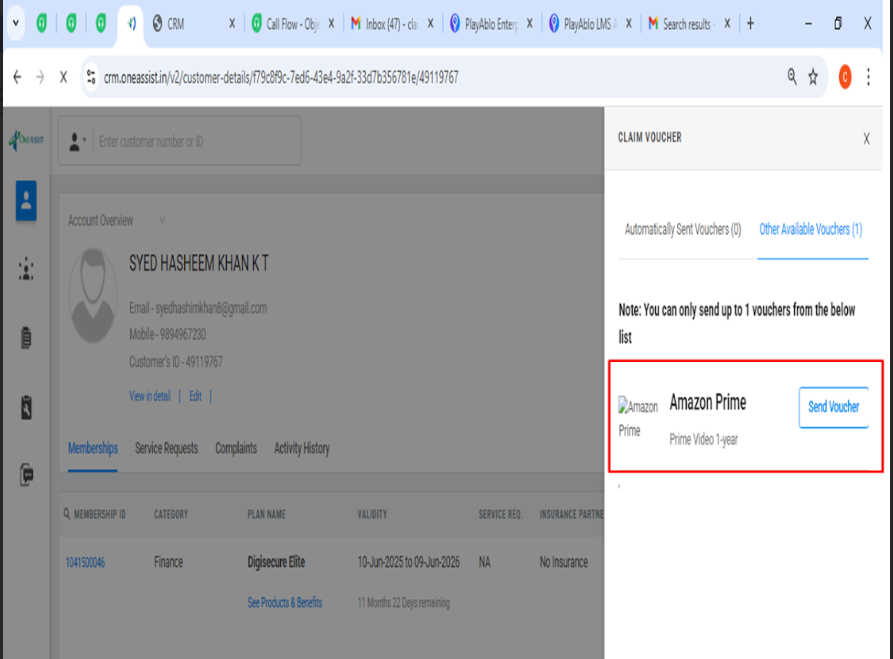
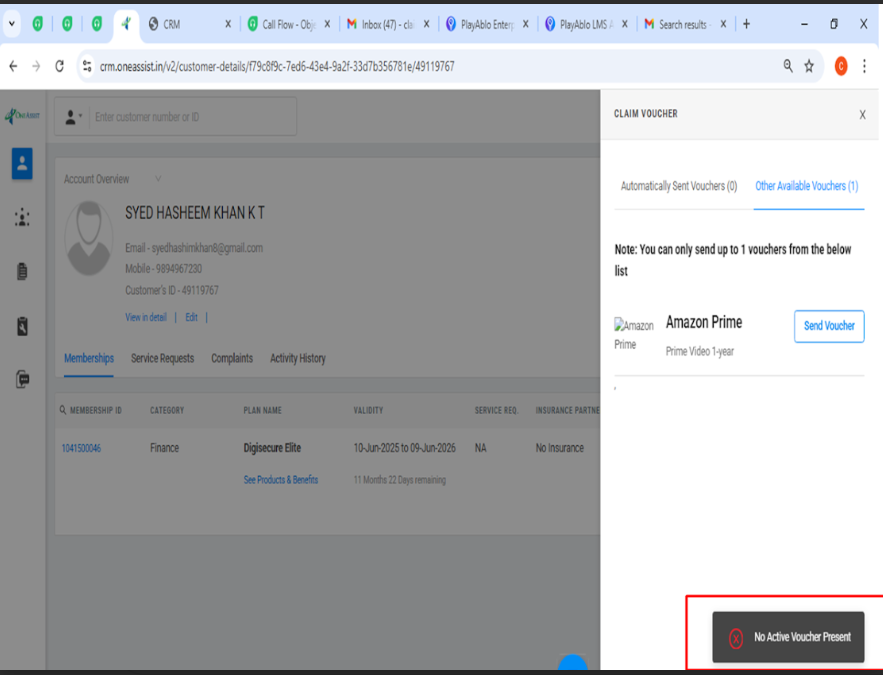
Click on "Send Voucher".
Step 3: If There’s a Problem with the Code
This applies if:
There is a technical issue in the CRM
The code was not received by the customer even after sending
The code is missing or not generated in the "Sent Details"
Then the agent should:
Ask the customer to check the OneAssist mobile app to see if the code is available there.
If the code is still not visible, then:
✉️ Send an email to:
? Mark a copy (CC) to:
criticaldesk@oneassist.in (Altruist Centre)
Guidelines to Redeem SonyLIV subscription
1. Visit https://www.ottplay.com/partner/oneassist/ott_oneassist_annual
2. 'Sony LIV Benefits Pack' page will be visible to you
3. Enter your coupon code in the box below 'Apply Coupon' and click on Apply. If box
is not visible, click on 'Apply Coupon'
4. Post closing the Thanks Popup, click on 'Subscribe Yearly Button'
5. Register yourself using your mobile number or email id and enjoy Sony LIV content
In case of any issues with redemption, you can call 080-62012555 or write to
support@ottplay.com